
Like everyone else I’m pretty iffy about how tumblr is going to change with the restrictions and censoring. I’m really going to miss the inspiration blogs as they once were because this was just such a great platform for collecting beautiful imagery where you didn’t have to be afraid of censorship.
I already post fairly irregularly on my art blog but I’ll likely be a lot more active on twitter in terms of posting sketches and art. I want to keep finished sfw pieces here for the time being until something better comes along.
You can follow me for art on Instagram or twitter don’t hesitate to give me a poke. 💕
Category: Uncategorized
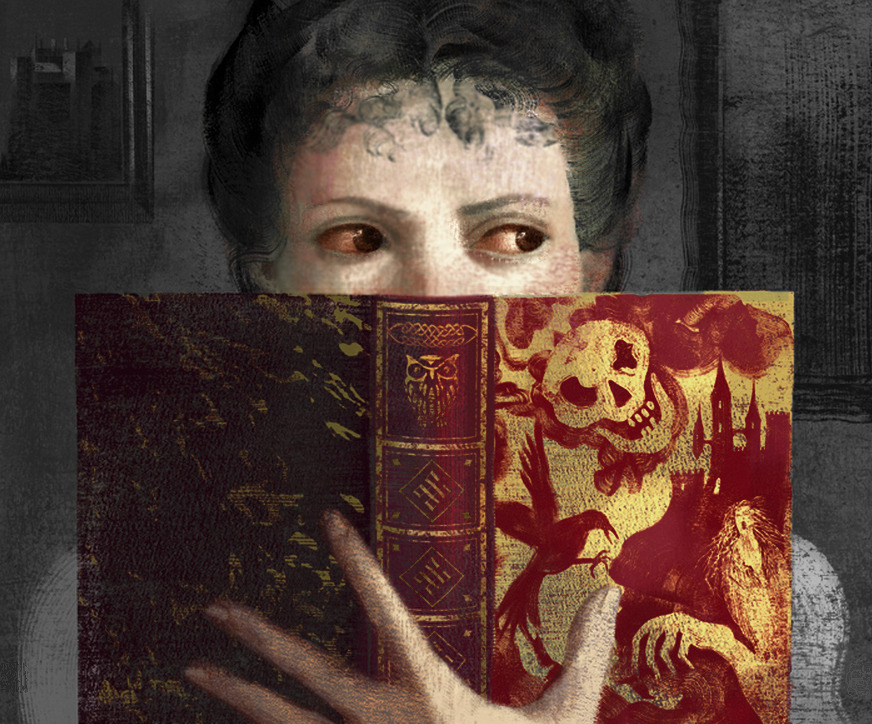
if u are thinking of me this holiday season… my wishlist
and don’t forget to pick up a copy of my comic, 6 SNAPSHOTS OF HELL for yourself or for someone who would like it as a gift
reviews say it is “disturbing” “unsettling” “haunting” “terrifying” and “gripping”



Dreamwidth
There’s been talk about alternatives to Tumblr lately, so I’ve put together 7 basic little bits about Dreamwidth to help anyone who’s completely new to it get started. It’s by no means a complete list (see the FAQ for that), but it might help with your first steps and to get a general idea if you decide to sign up.
The big plus of Dreamwidth is that it’s been created by fans, and there’s some overlap between the DW and the AO3 teams. So for fannish content, it’s probably the safest space we can get at the moment. And the people in charge understand fandom and care about it in a way a corporation like Yahoo (who owns Tumblr) never will.
Anyway, here are a few bits and pieces to get you started:
1. Privacy options
In your journal you can decide who gets to see your posts:
- Public – everyone can see the entry, even if they don’t have a DW account
- Access List – Only those users you’ve granted access can see this post. This is a good option if you want to share something with friends, but not the entire world.
- Private – only you can see this entry
2. Reading List
Your reading list contains the entries from all journals you’re subscribed to. Depending on the access you’ve been given, you’ll see only their public posts or also their access-restricted content.3. Circles
Every journal has a circle. This is the collection of journals connected to you in various ways:
- you’re subscribed to them, so their entries appear on your reading list
- they’ve subscribed to you, so they read your entries
- you’ve given them access to your locked content
- they’ve given you access to their locked content
On your circle page you can administrate these settings.
4. Filters
If you’re subscribed to a lot of journals and communities, your reading page can turn overwhelming. You can create filters to group those journals, so you can choose between having your reading page display all journals or only the ones in this particular filter.
You can also filter for personal journals, communities and feeds in this way:
- P (personal journals only): https://youraccountname.dreamwidth.org/read?show=P
- C (communities only): https://youraccountname.dreamwidth.org/read?show=C
- F (feeds only): https://youraccountname.dreamwidth.org/read?show=F
5. Communities
Dreamwidth has a special kind of journal – communities. More than one user can post here, so it’s a great way to share posts and discussions. Every community has administrators, who control who can join, who can post entries and what the community’s journal looks like. Anyone can create a community.
Comms are one of the things that made LJ so central to fandom, back when it wasn’t broken yet – they’re an incredibly easy way to keep track of shared interests and meet people who’re into the same topics as you. In this they’re similar to tags on Tumblr, only with admins to curate the content, keep it safe and keep out the false positives.6. Feeds
Feeds let you subscribe to content from another site that has an RSS or Atom feed available. Good news – Tumblr does! So if you want to follow someone’s posts on Tumblr in your Dreamwidth account, you can add them as a feed and not miss anything.7. Tags
Tags on Dreamwidth work a little differently from those on Tumblr. Here they’re mainly a way to organize your own entries and make it easier for visitors to your journal to find older content you’ve posted on this topic. You cannot subscribe to a tag.Dreamwidth is different from Tumblr in some ways, and you’ll spend some time in the beginning to figure it out. But there are far more options for customisation and you get much tigther control over your content and who you want to share with.
(I’m at carmenta.dreamwidth.org over there; feel free to say hi!)
8. Bookmarking
Simply select the heart button in the top menu of any Dreamwidth entry to save the item in your memories. Memories can be tagged with keywords so you can find them later, and your memory entries can be made public or private when the memory is added.
From someone who’s survived MySpace, livejournal, deviantart, and fanfiction.nets’ content purges and bad policy updates, here’s some advice on how to get through tumblr’s recent bullshit:
– don’t knee jerk delete. I know it’s tempting to peace out immediately but hang on and do the other steps first. Out right ghosting and erasing everything is how fandoms die.
– archive everything on your blog you want to keep
– tell your followers how they can archive and keep your work too. A lot of fic and art were only saved from ff.net and lj because other people saved it first. If you’re cool with other people saving your work for them to personally keep, let them know this. You can absolutely discourage reposting but I really do highly recommend you allow people to personally save fic and art they like and are worried will disappear forever. Digital Dark Ages are a real thing.
– tell people where you’re jumping ship to. Give links. Keep that info up, even if you’ve left the site.
– go through who you follow and find out where else you can follow them. Save their work if they’ll allow it. It’s tedious as hell but if you want to keep up with people on here clicking on their page to check in is the best way to do it.
– support places like ao3. This is exactly why ao3 asks for donations a few times a year. They are a 100% anti-purging, judgement free, ad free non profit run by an elected board and protected by lawyers. Places like ao3 literally save fandom so please continue to support them and other similar archives. This is exactly why ao3 is so important.
For example, here’s a post that explains and links for how to back up your blog
Also, go read the source policies and official Tumblr statements in addition to user analyses and reactions. It’s important to keep abreast of developments over time; staying informed is your power in this situation. Memes and reaction posts are funny and are a useful way to vent / provide commentary, but some of them create an inaccurate picture of what’s happening and should not be taken as evidence on their own of what developments have happened.
hey folks !! (re: tumblr)
about two weeks ago, i noticed several of my posts had been falsely flagged as inappropriate. i submitted them all for review and they all passed, so i thought little of it. i double checked just now and more of my posts have been flagged, probably due to some (shoddy) algorithm associated with their new guidelines in regard to adult content. i will continue to try posting up my art here as long as i’m able, but if you feel uncomfortable using tumblr you can find and reach me on twitter and instagram as well!
https://twitter.com/smilequotas
https://www.instagram.com/smilequotas/
wishing everyone a happy holiday season !!!
 Archive